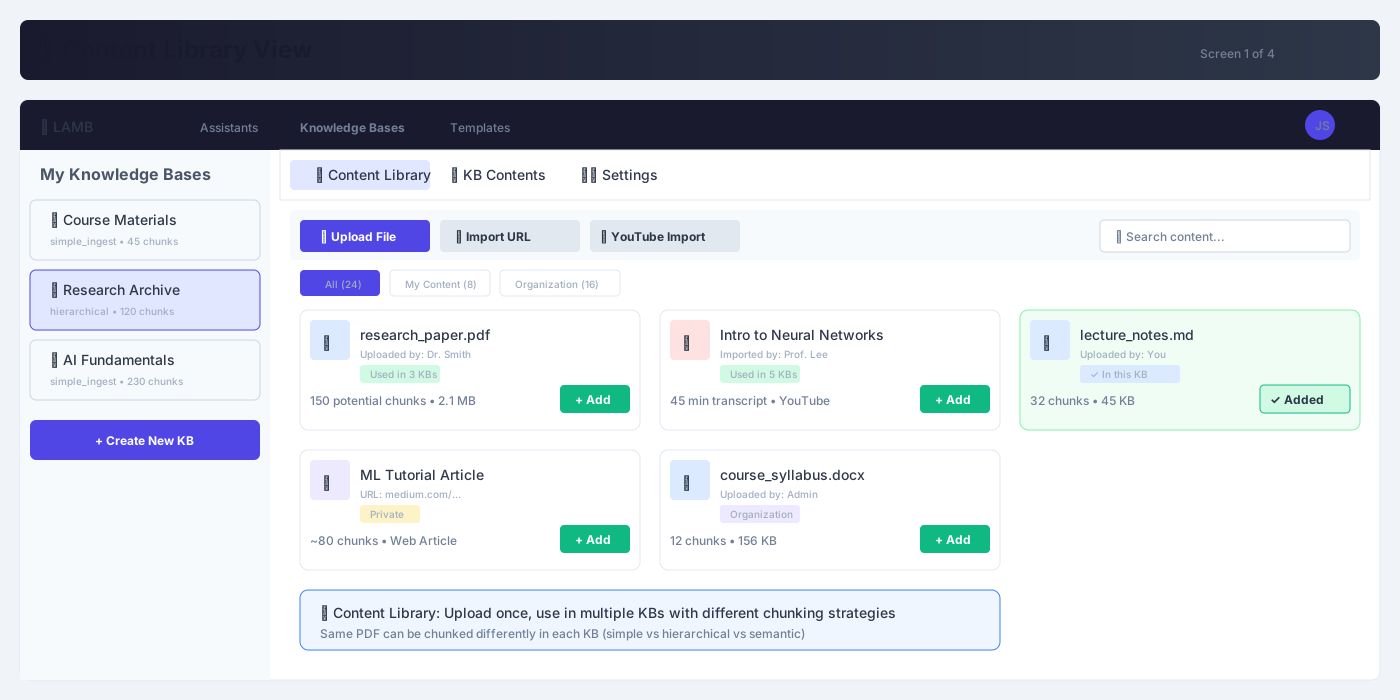
The biggest change - a shared content library
- Source Once, Chunk Many: Users can browse all organization content
- Multiple import options: Upload files, import URLs, or add YouTube videos
- Usage visibility: See which content is already used in other KBs with usage stats
- Reuse content: Add existing content to their KB without re-uploading
- Visibility badges: Content shows Private, Organization, and "In this KB" badges
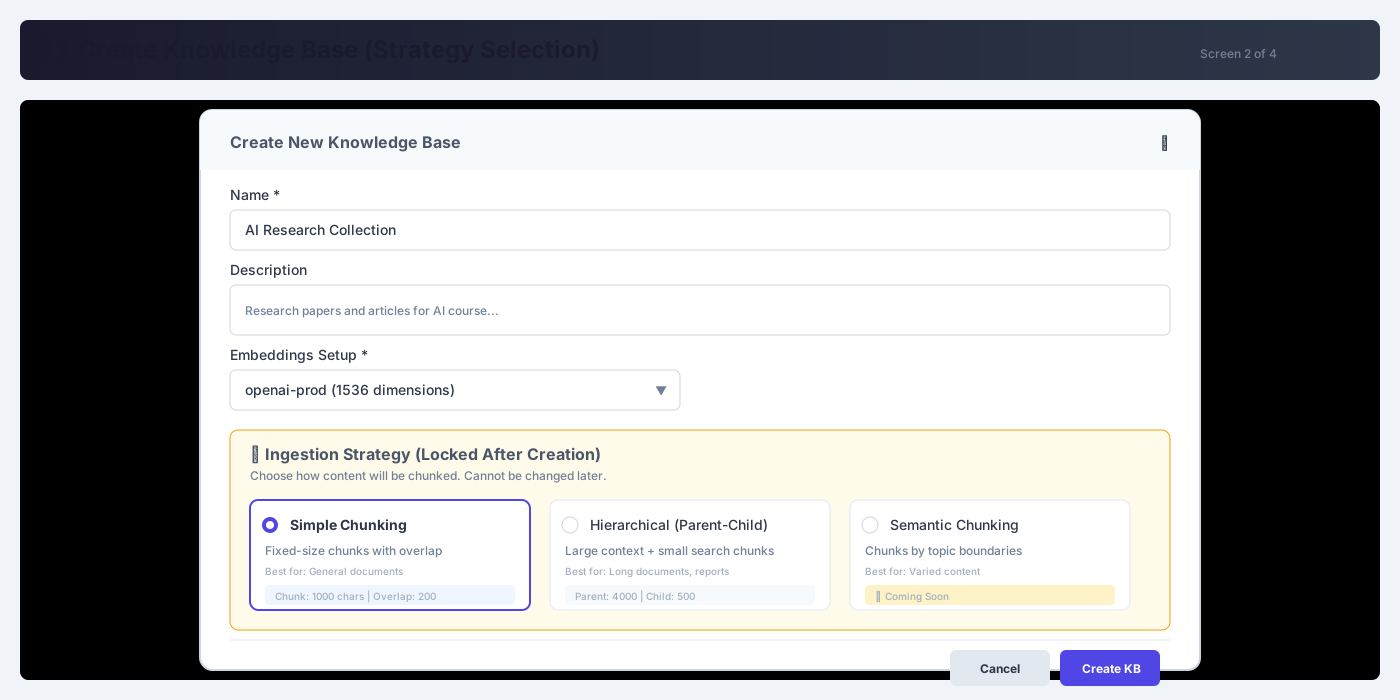
The strategy lock-in concept visualized
- Mandatory strategy choice: User must choose an ingestion strategy at creation time
- Three strategies: Simple, Hierarchical, and Semantic strategy cards
- Warning banner: "Cannot be changed after creation"
- Strategy parameters: Each strategy shows its parameters (chunk sizes, etc.)
- Embeddings setup: Selection is also locked at creation time
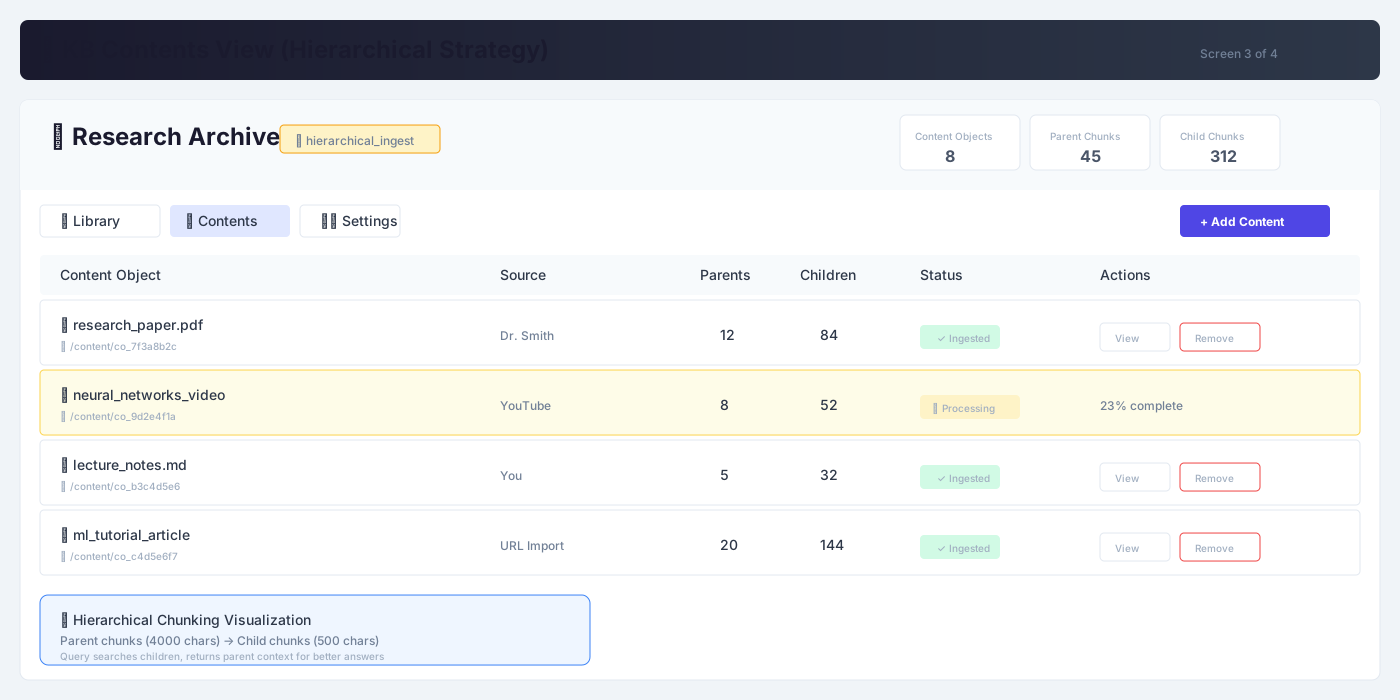
Shows a KB using hierarchical ingestion
- Strategy badge: Shows it's locked (🔒 hierarchical_ingest)
- Detailed stats: Shows Parent chunks vs Child chunks separately
- Source permalinks: Content table shows source permalinks (/content/co_xxx)
- Processing status: Shows status for ongoing ingestions
- Content actions: View/Remove actions per content object
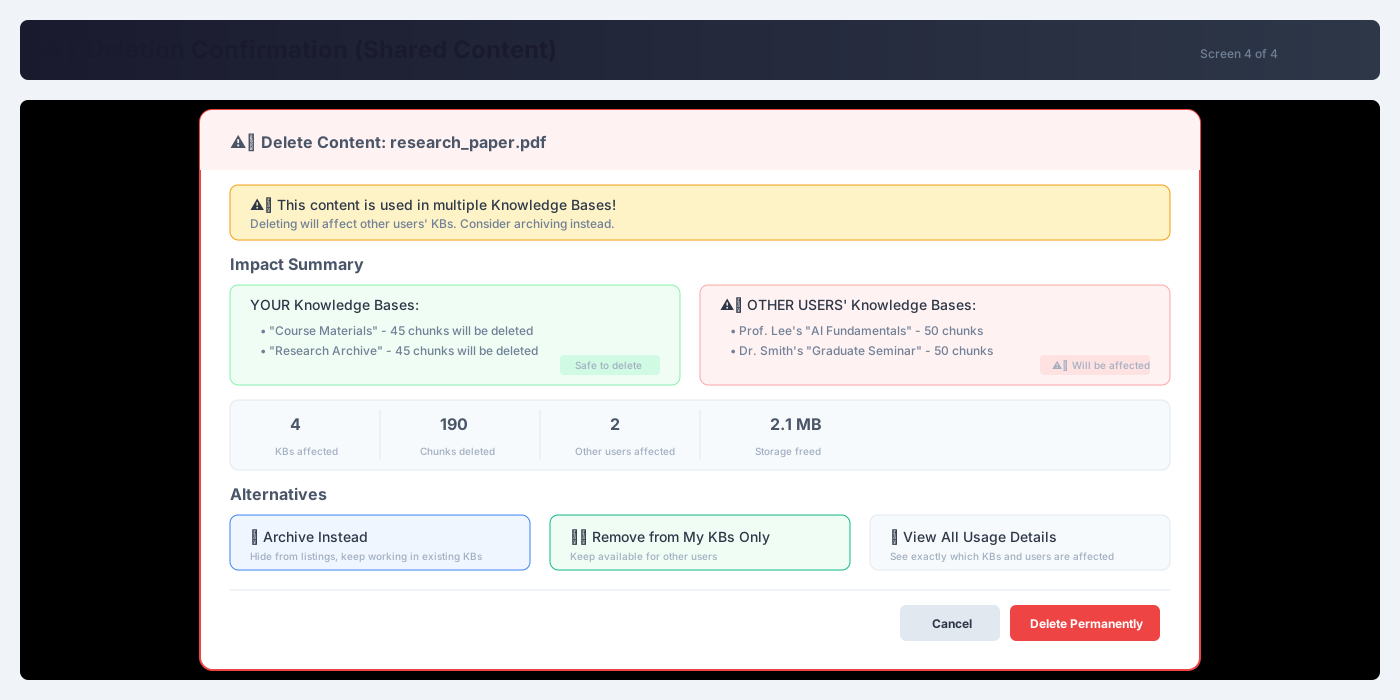
The layered deletion semantics in action
- Warning banner: Alert for shared content deletion
- Split view: YOUR KBs (safe) vs OTHER USERS' KBs (affected)
- Impact stats: KBs affected, chunks deleted, users impacted
- Alternatives offered: Archive Instead, Remove from My KBs Only
- Clear styling: Dangerous action button visually distinct
Screen 1 of 4